| .github | ||
| bin | ||
| debian | ||
| multiflexi | ||
| nbproject | ||
| src | ||
| tests | ||
| .gitignore | ||
| .php-cs-fixer.dist.php | ||
| abraflexitools.svg | ||
| AGENTS.md | ||
| benchmark-result.png | ||
| composer.json | ||
| Containerfile | ||
| debian-screenshot.png | ||
| fbbenchmark.svg | ||
| fbcp.svg | ||
| io.github.vitexsoftware.abraflexi_tools.metainfo.xml | ||
| LICENSE | ||
| Makefile | ||
| phpstan-default-baseline.neon | ||
| phpstan-default.neon.dist | ||
| phpunit.xml | ||
| README.md | ||



Tools for AbraFlexi
Set of commandline tools for interaction with AbraFlexi server


AbraFlexi Get
Obtain record data from AbraFlexi
Usage:
fbget -eevidence-name -iRowID [-u] [-cpath] [column names to show]
-p path to custom config file -u show record URL
Example:
~$ fbget -v -u -c /etc/abraflexi/localhost-client.json -e adresar -i 666 kod nazev
https://localhost:5434/c/spoje_net_s_r_o_/adresar/666&detail=custom:kod,nazev
{
    "external-ids": [
        "ext:subreg:36699",
        "ext:ipex:58487"
    ],
    "id": "666",
    "kod": "VITEX",
    "nazev": "V\u00edt\u011bzslav Dvo\u0159\u00e1k",
    "kontakty": [
        {
            "id": "2371"
        }
    ]
}
AbraFlexi PUT
Insert or update record data in AbraFlexi
Usage:
fbput -eevidence -iRowID [-cpath] [-u] [--colum-name=value] [--colum-name2=value2] ...
-p path to custom config file -u show record URL
Example:
fbput.php --evidence adresar -i 333 -u --nazev=Zmeneno
https://demo.abraflexi.eu:5434/c/demo/adresar/333
{"winstrom":{"@version":"1.0","success":"true","stats":{"created":"0","updated":"1","deleted":"0","skipped":"0","failed":"0"},"results":[{"id":"333","request-id":"333","ref":"

AbraFlexi company Copy
Copy one AbraFlexi company to another AbraFlexi
Usage:
fbcp https://user:password@abraflexi.source.cz:5434/c/firma_a_s_ https://user:password@abraflexi.destination.cz:5434/c/firma_a_s_ [production]
Use production parameter to keep EET, Auto Sending Mails and WebHooks enabled in restored company.
Example:
fbcp https://lgn:pwd@company.abraflexi.eu:5434/c/company_name https://lgn2:pwd2@vitexsoftware.abraflexi.eu:5434/c/company_name
04/14/18 13:57:18 `FlexiPeeHP\Company`  ⓘ saving backup
04/14/18 13:57:25 `FlexiPeeHP\Company`  ❁ backup saved
04/14/18 13:57:26 `FlexiPeeHP\Company`  ⓘ Remove company before restore
04/14/18 13:57:27 `FlexiPeeHP\Company`  ☠ JSON Decoder: Syntax error
04/14/18 13:57:27 `FlexiPeeHP\Company`  ⚙ ok
04/14/18 13:57:27 `FlexiPeeHP\Company`  ❁ restore begin
04/14/18 13:57:58 `FlexiPeeHP\Company`  ❁ backup restored
Create New Company in AbraFlexi
    fbnc  new_company_name
    fbnc  https://user:password@abraflexi.source.cz:5434/c/nova_firma_a_s_
Delete Company in AbraFlexi
    fbdc company_to_delete
    fbdc https://user:password@abraflexi.source.cz:5434/c/smazat_firma_a_s_
Configuration file example
{
    "ABRAFLEXI_URL": "https:\/\/demo.abraflexi.eu:5434",
    "ABRAFLEXI_LOGIN": "winstrom",
    "ABRAFLEXI_PASSWORD": "winstrom",
    "ABRAFLEXI_COMPANY": "demo"
}
Default config file location is /etc/abraflexi/client.json ( also provided by abraflexi-client-config debian package )
WebHooks Wipe
Drop all webHooks
fbwhwipe [custom config file]
WebHook establish
Register new webhook in AbraFlexi
fbwh http://webhook.processor/url [xml|json] [custom/config.json]
Fake Address Generator
abraflexi-fake-address --config=../tests/client.json -i 10
create 10 fake address
Benchmark
Count time of several operations speed upon given company/database. The benchmark always prepares required test records (bank account, cash register, pricelist) before running.
Options:
- -c - number of cycles
- -d - delay in seconds between each operation
- -o - output file path (default: RESULT_FILE env or stdout)
- -e - path to .env configuration file
- -v - show version and exit
abraflexi-benchmark -c 10 -d 1
The JSON report output conforms to the MultiFlexi report schema:
{
    "producer": "abraflexi-benchmark",
    "status": "success",
    "timestamp": "2026-02-27T15:44:59+01:00",
    "message": "Benchmark completed: 10 cycles with 1s delay",
    "metrics": {
        "pass_10_address_read": "0.123",
        "pass_10_address_write": "0.456",
        "cycles": 10,
        "delay": 1
    }
}

Certificate Updater
Generate or renew HTTPS certificate for AbraFlexi server.
abraflexi-certbot
The tool reads AbraFlexi connection details from the standard config file
(/etc/abraflexi/client.json) and uploads the Let's Encrypt certificate
via the AbraFlexi REST API endpoint /certificate.json.
Prerequisites
The certificate must be obtained and renewed by Certbot
(Let's Encrypt). The tool expects the certificate files to be present in
/etc/letsencrypt/live/<domain>/.
⚠️ Required: Force RSA key type in Certbot
AbraFlexi only supports RSA private keys. Since 2024, Let's Encrypt issues ECDSA (EC) keys by default. Uploading an EC certificate results in the error:
BCECPrivateKey cannot be cast to RSAPrivateCrtKey
You must explicitly configure Certbot to use an RSA key for the certificate used by AbraFlexi.
Edit the renewal configuration file for your domain:
/etc/letsencrypt/renewal/<your-domain>.conf
Add or update the following lines in the [renewalparams] section:
[renewalparams]
key_type = rsa
rsa_key_size = 4096
Example (/etc/letsencrypt/renewal/abraflexi.example.com.conf):
# renew_before_expiry = 30 days
version = 2.9.0
archive_dir = /etc/letsencrypt/archive/abraflexi.example.com
cert = /etc/letsencrypt/live/abraflexi.example.com/cert.pem
privkey = /etc/letsencrypt/live/abraflexi.example.com/privkey.pem
chain = /etc/letsencrypt/live/abraflexi.example.com/chain.pem
fullchain = /etc/letsencrypt/live/abraflexi.example.com/fullchain.pem

[renewalparams]
authenticator = standalone
key_type = rsa
rsa_key_size = 4096
After editing the file, force a renewal to immediately generate an RSA certificate:
certbot renew --cert-name <your-domain> --force-renewal
Verify the key type before running abraflexi-certbot:
openssl pkey -in /etc/letsencrypt/live/<your-domain>/privkey.pem -text -noout | head -3
# Expected output: RSA Private-Key (not EC Private-Key)
Automatic renewal via deploy hook
To automatically upload the certificate to AbraFlexi after each renewal,
create a deploy hook at /etc/letsencrypt/renewal-hooks/deploy/abraflexi.sh:
#!/bin/bash
abraflexi-certbot
chmod +x /etc/letsencrypt/renewal-hooks/deploy/abraflexi.sh
Certbot will execute this script automatically after every successful renewal.
MultiFlexi
Tools for AbraFlexi is ready for run as MultiFlexi application. See the full list of ready-to-run applications within the MultiFlexi platform on the application list page.

Installation
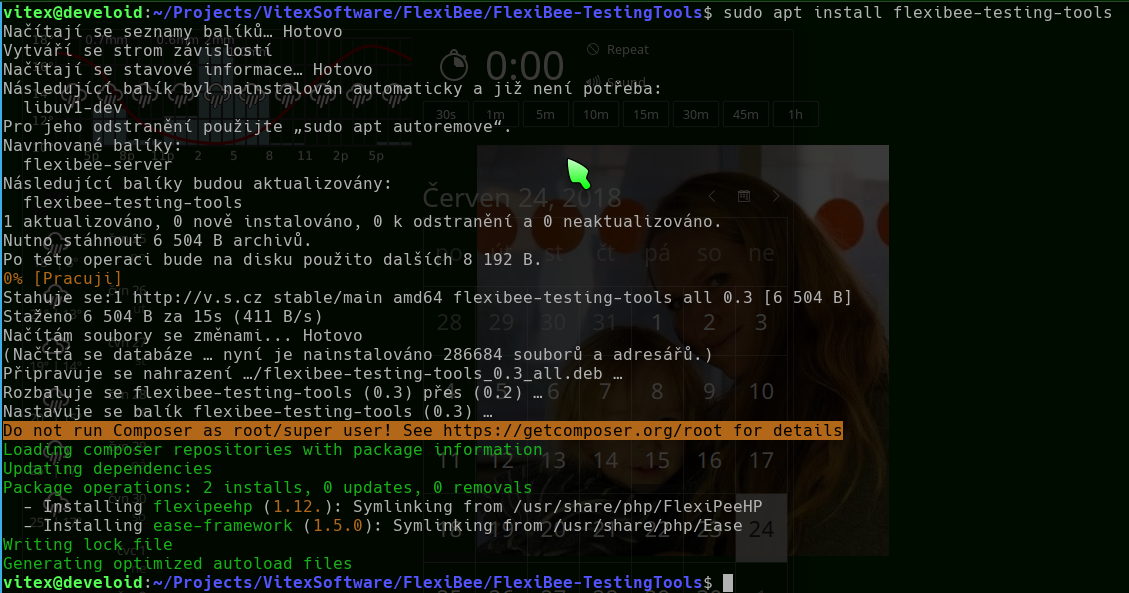
There is repository for Debian/Ubuntu Linux distributions:
sudo apt install lsb-release wget apt-transport-https bzip2

wget -qO- https://repo.vitexsoftware.com/keyring.gpg | sudo tee /etc/apt/trusted.gpg.d/vitexsoftware.gpg
echo "deb [signed-by=/etc/apt/trusted.gpg.d/vitexsoftware.gpg]  https://repo.vitexsoftware.com  $(lsb_release -sc) main" | sudo tee /etc/apt/sources.list.d/vitexsoftware.list
sudo apt update

sudo apt install abraflexi-tools
We use:
- PHP Language
- PHP AbraFlexi - Library for Interaction with AbraFlexi
- Ease Core - Glue & Tool Set